 Enlyzr
MyReFrame
Line up the same shot, again and again
MyReFrame helps you take the same photo again, from the same spot and at the same angle, so that a series of pictures shows what changed, not how you held the phone. Follow a tree through the seasons, a garden, a building site or a renovation, a growing plant, a pet, or yourself. The app lays the first photo of a project over the camera's live view and scores how well the two line up; afterwards you compare the frames or turn them into a time-lapse.
For Android 10 and newer, on a phone with a camera. Free, with no ads and nothing to buy.
- 3overlays that put the reference over the live view
- 6checks of a new reference photo
- 5ways to compare two frames
- 12languages for the app's screens
What it does
The reference over the live view
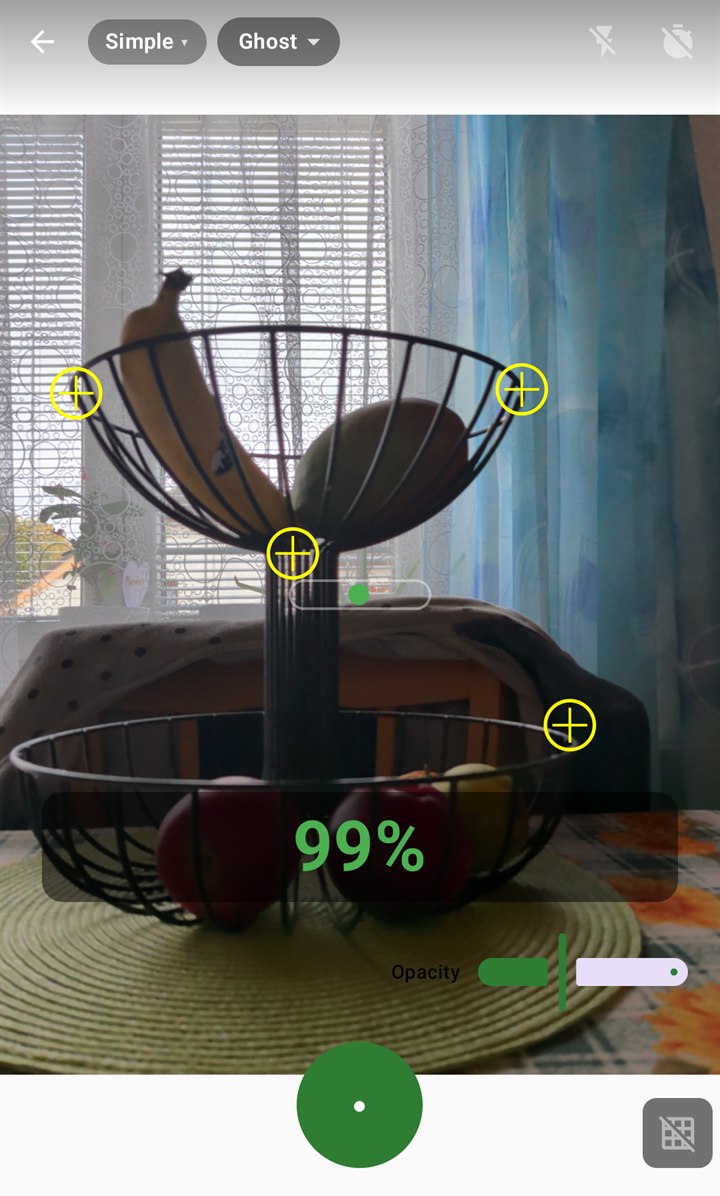
Three overlays draw the first photo over the camera picture: Ghost shows it half transparent, Edge only its outlines, Diff the difference to what the camera sees now. Edge and Diff help when the light or the season has changed. A slider sets how strong the overlay is.
A live alignment score
On-device computer vision compares the live view with the reference and scores position, rotation, perspective and zoom, with hints such as shift left, tilt up or move closer. Anchor points on fixed landmarks, a fence post or a building corner, make the score follow what does not move.
A good reference to start with
Every later frame inherits the tilt, exposure and framing of the first. So a new reference is checked for tilt, clipped highlights and shadows, low light, soft focus and too little fixed detail. The app explains why each one matters and never blocks the shot.
Simple or Pro
Simple keeps the shutter, overlay, alignment score and level. Pro adds the histogram, exposure control, a lens picker, zoom presets, interval shooting and auto-capture at 80, 90 or 95 %. Switch at any time, for the whole app or for one project.
Five ways to compare
Swipe a divider between two frames, fade them into each other, see only their difference, blink between them, or scrub through the whole series with its dates. Pinch to zoom up to six times. Rate frames, add notes and browse them on a calendar.
Time-lapse and before-and-after
Export the series as an MP4 video, as a stabilised video in which every frame is moved onto the reference, or as an animated GIF of the first 30 frames. Two frames can be saved as one side-by-side picture with their dates.
Reminders for the next shot
For each project: weekly, monthly, every 90 days, each season or yearly on the reference's date, at a fixed time, at golden hour, or at the reference's time of day so that the shadows fall the same way. Golden hour is worked out on the phone.
A series of yourself
The front camera works too, for a series in which you are the subject. Optional pose guides, an outline of a face, head and shoulders or a full body, help you place yourself in the reference; the overlay and the score do the rest.
Private by design
No account, no ads, no analytics, and no internet permission at all. Photos are saved to your phone's Pictures folder and projects stay on the phone. Back up a whole project to one ZIP file and restore it on another device.
A look at the app
Line up the shot: 99 % aligned 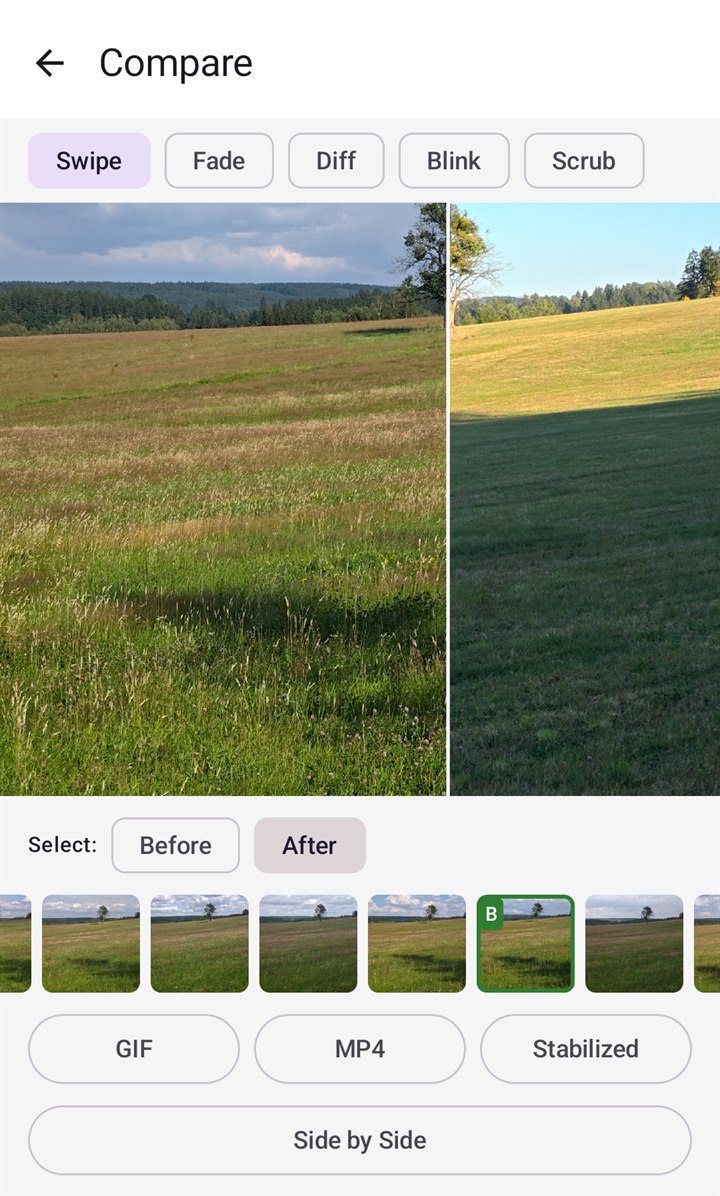
Before and after, with a swipe 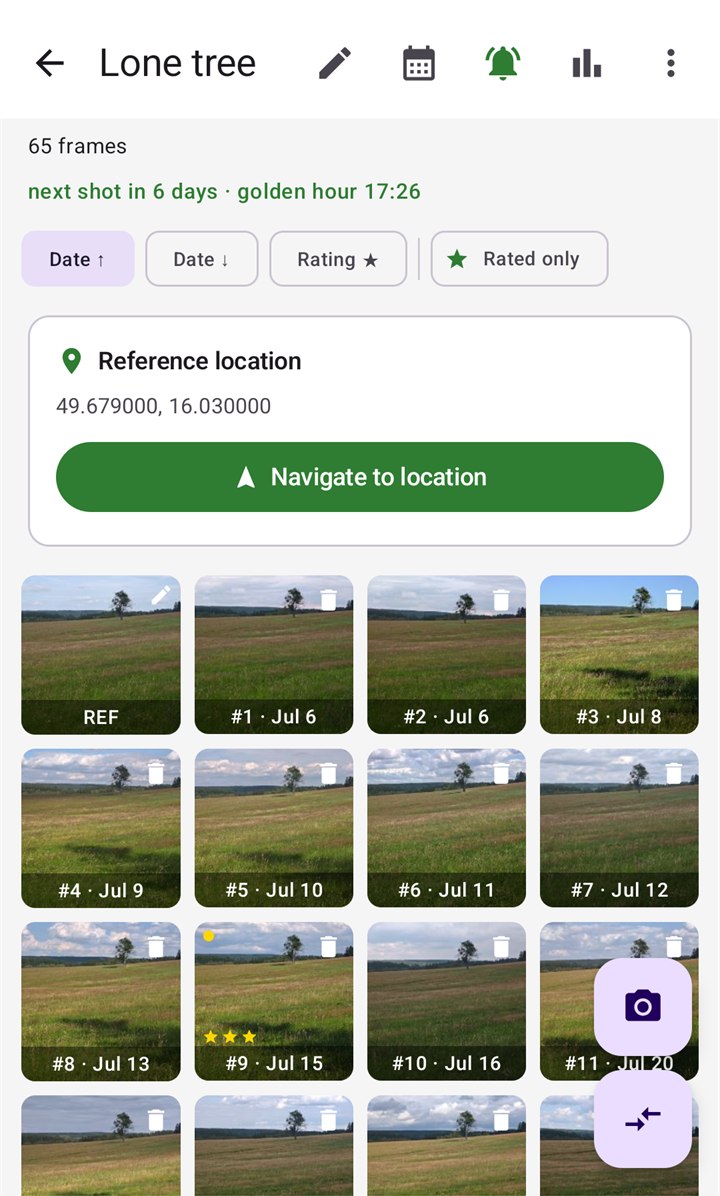
A project: its frames, location and next shot 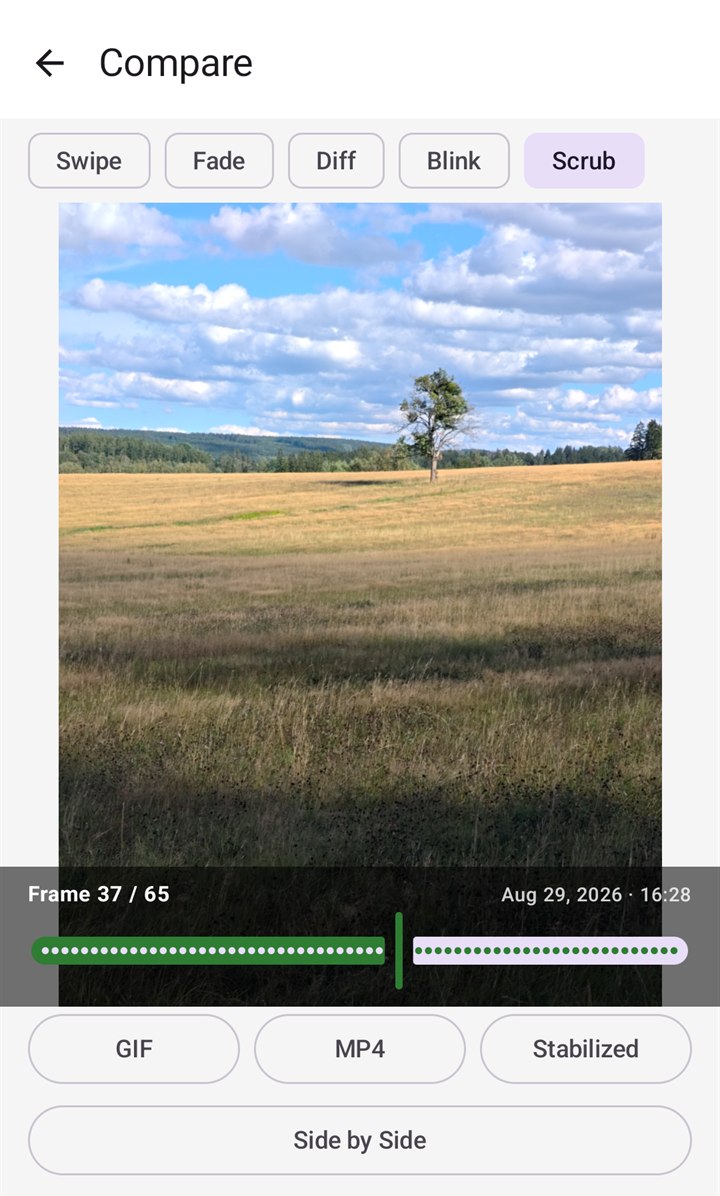
Scrub through the whole series 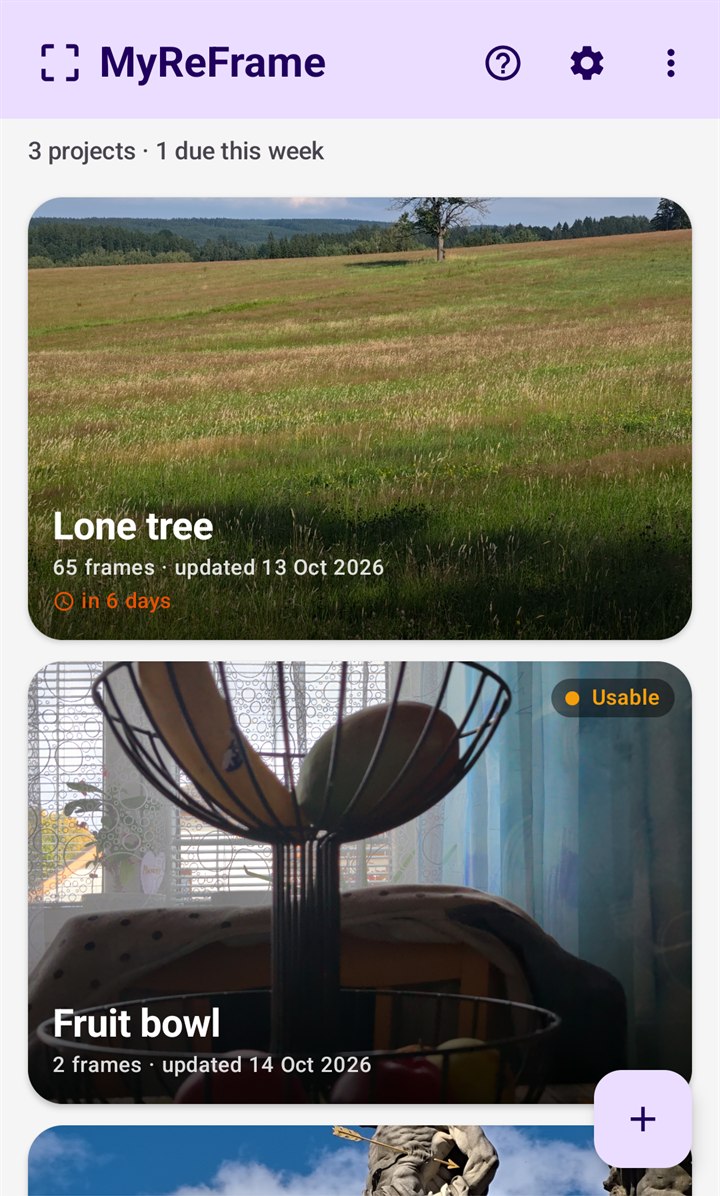
Your projects, with what is due 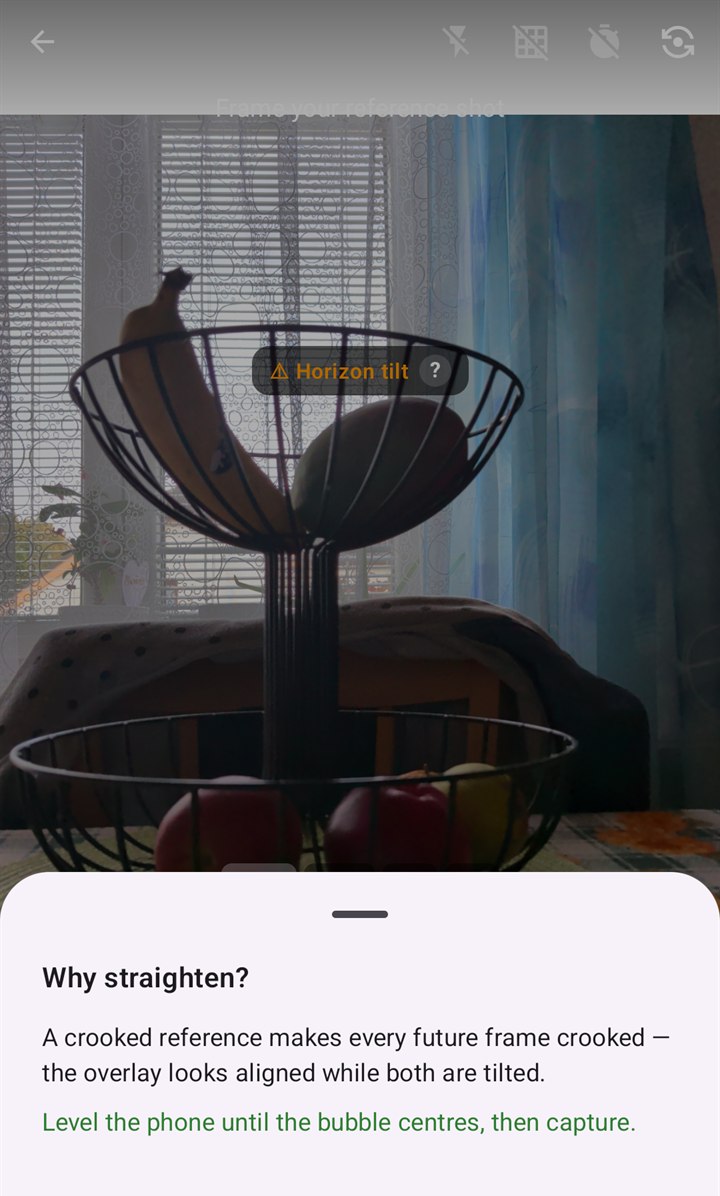
The reference is checked as you take it 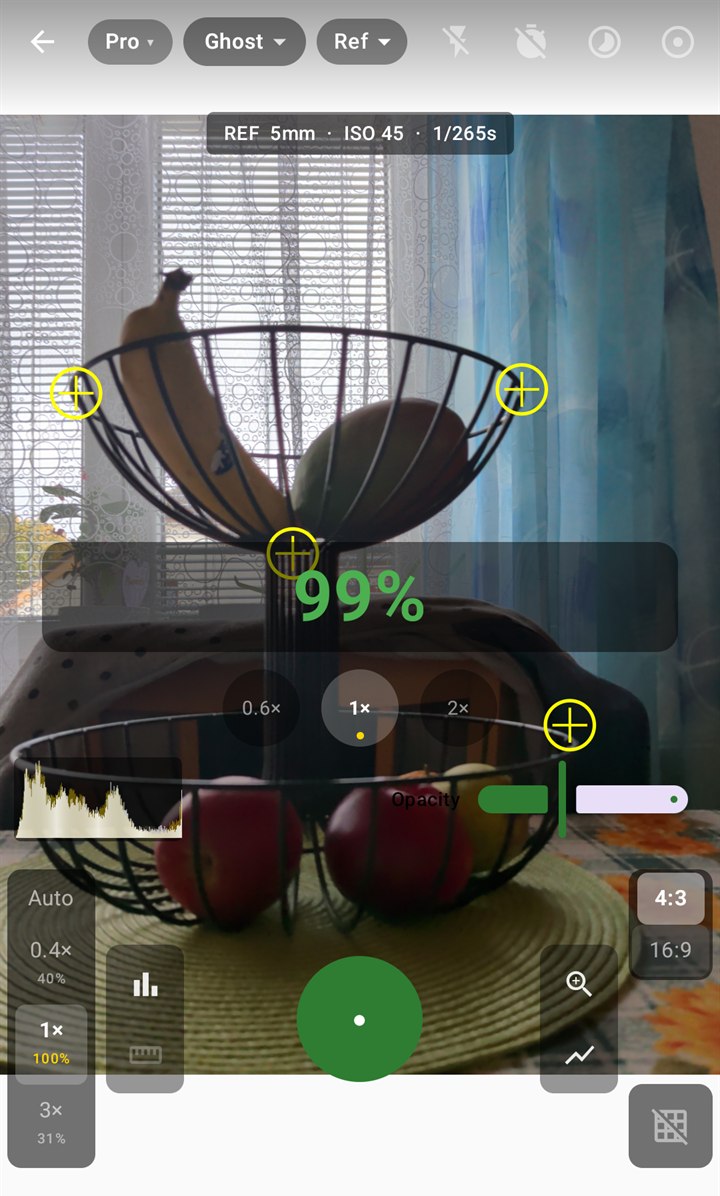
Pro: histogram, lenses and exposure 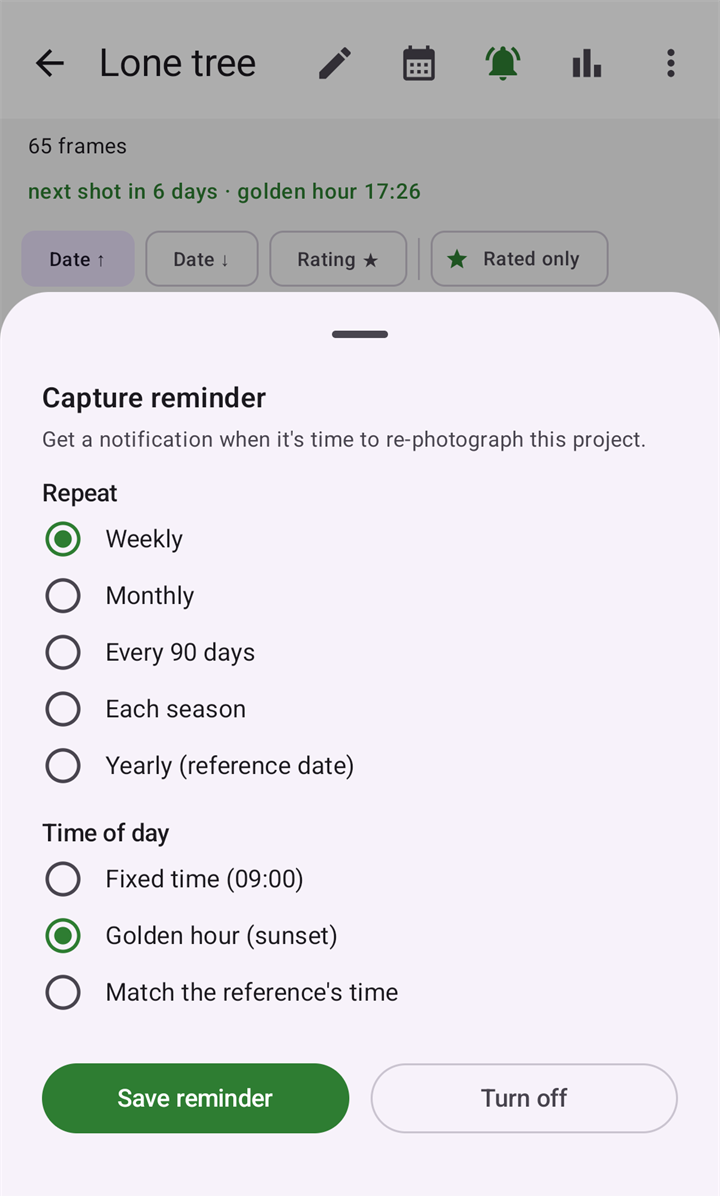
A reminder when the next shot is due
Good to know
- The app is in English, Czech, Dutch, French, German, Hungarian, Italian, Polish, Portuguese (Brazil), Slovak, Spanish and Ukrainian.
- It runs on Android 10 and newer, on a phone or tablet with a camera.
- No account, no ads, no analytics. The app has no internet permission at all.
- Location is optional. With it, the app records where the reference was taken, shows the distance to the spot and works out golden hour there; without it, golden-hour reminders are not offered and a fixed time is used.
Questions and answers
What is repeat photography, and do I need a tripod for it?
It is taking the same picture again after some time, from the same place and with the same framing, so that the pictures show what changed. You do not need a tripod: the overlay, the score and the hints are made for lining up by hand. On a tripod the self-timer and auto-capture let the app take the photo without you touching the phone.
Can I use a photo I already have as the reference?
Yes. Choose Import from gallery when you start a project. The app saves a copy of the photo in the project, checks it once, and matches every later frame to it. Two things differ from a reference taken in the app: the app dates it with the day you imported it, and it has no record of how the phone was tilted, so the level shows only the live angles.
Does it work without an internet connection?
Yes. The app has no internet permission. Matching, the check of the reference, the exports and the times for reminders are all worked out on the phone. Only the Navigate button, which hands the place of the reference to a map app, leads to something that needs a connection.
Where are my photos kept?
In your gallery, under Pictures/MyReFrame and the project's name; exported videos are under Movies/MyReFrame. The order of the frames, your notes, the anchor points and the alignment data are kept inside the app. If you uninstall the app the photos stay, but that project data goes, so export a backup first.
Does the app record where a photo was taken?
Only if you allow location. The app then stores the position with each photo you take in it, in its own data and not in the photo file. It uses the position for the distance to the spot, for golden-hour reminders and for the best-light time. The position is part of a backup ZIP you export and of Android's own backup of the app's data. The privacy policy has the details.
How many frames go into a time-lapse?
The MP4 video and the stabilised video use every frame that is still on the phone, at two frames a second. The animated GIF holds the first 30 frames of the series.
What does it cost?
Nothing. MyReFrame is free. There is nothing to buy in the app, no subscription and no advertisements.
Coming to Google Play
MyReFrame is not listed on Google Play yet. This page will carry the link as soon as it is.
Questions or feedback: enlyzr@gmail.com