 Enlyzr
mdReader
Markdown, notebooks and code, read like a book
mdReader is a reader for technical documents. It turns Markdown, Jupyter notebooks, AsciiDoc, reStructuredText, Org-mode, Djot, CSV tables and source files into clean pages you can read like a book: code is coloured, formulas are typeset, diagrams are drawn. It works offline, with no account and no ads. E-books in EPUB and FictionBook open in the same reader.
For Android 13 and newer. Free, with no ads and nothing to buy.
- 12kinds of document in one reader, from Markdown and notebooks to EPUB books
- 10colour themes for the page, and eight fonts
- 9reading profiles built in, from Daytime to Tired Eyes
- 4highlight colours, each with a name of your own
What is in the app
Markdown as clean pages
Tables, task lists, footnotes, wiki links and front matter, with code blocks coloured by language. What was a file full of marks becomes a page you can read.
Formulas, diagrams and smart blocks
TeX formulas are typeset with KaTeX and Mermaid diagrams are drawn: flowcharts, sequence, class and more. Callouts, bar charts, metrics and progress bars are written as simple ::: blocks. All of it is drawn on the device, offline.
Notebooks and other formats
Jupyter notebooks show their Markdown cells, their code and its outputs; nothing is run. AsciiDoc, reStructuredText, Org-mode and Djot look the way Markdown does. CSV and TSV files become tables, source and configuration files coloured listings, and web pages are read as documents, without scripts.
E-books too
EPUB and FictionBook books open with their cover, contents, pictures and footnotes, and get the same reading modes, highlights, notes and read-aloud as every other document.
Book mode and comfort
Real pages with the time left shown, or scrolling, and a two-page spread on tablets in landscape. Ten colour themes, eight fonts and nine reading profiles, with day and night switching by the clock. Eye care adds dimming, a blue-light filter and break reminders.
Read aloud
Listen with the voices on your device, at 0.75x to 2x speed with a sleep timer. Reading goes on with the screen off, controlled from a media notification.
Highlights, notes and review cards
Mark text in four colours, add notes and export them as Markdown. Highlights and question blocks become spaced-repetition cards that come back after longer and longer gaps.
Edit, and see what changed
Edit Markdown in place, block by block or as source, with find and replace, and tick task boxes while you read. When a document was edited since you last read it, mdReader marks what is new or changed and compares the two versions.
Library and Knowledge Base
Point mdReader at a folder and browse it as a list, a grid with book covers or a folder tree, with search in names and contents, tags, favourites and links between documents. The Knowledge Base gathers the key ideas, warnings, charts and highlights of all your documents in one place.
A look at the app
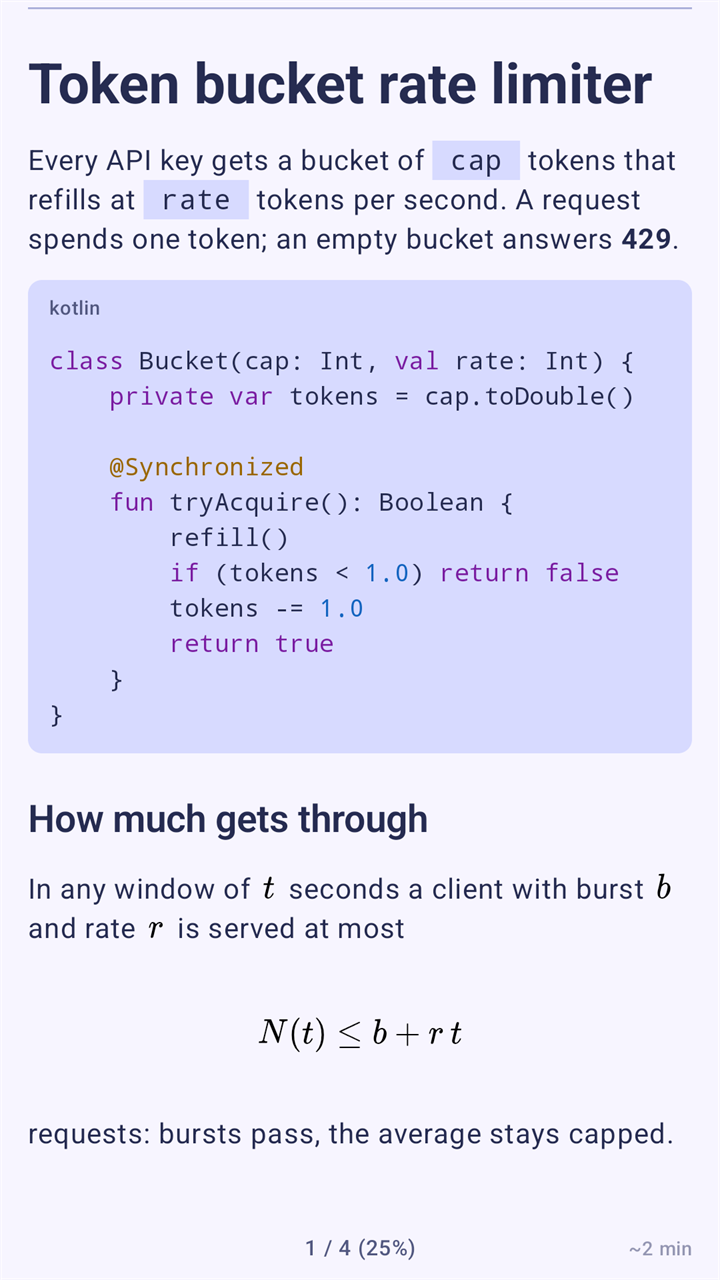
Markdown with code and a formula, as a page 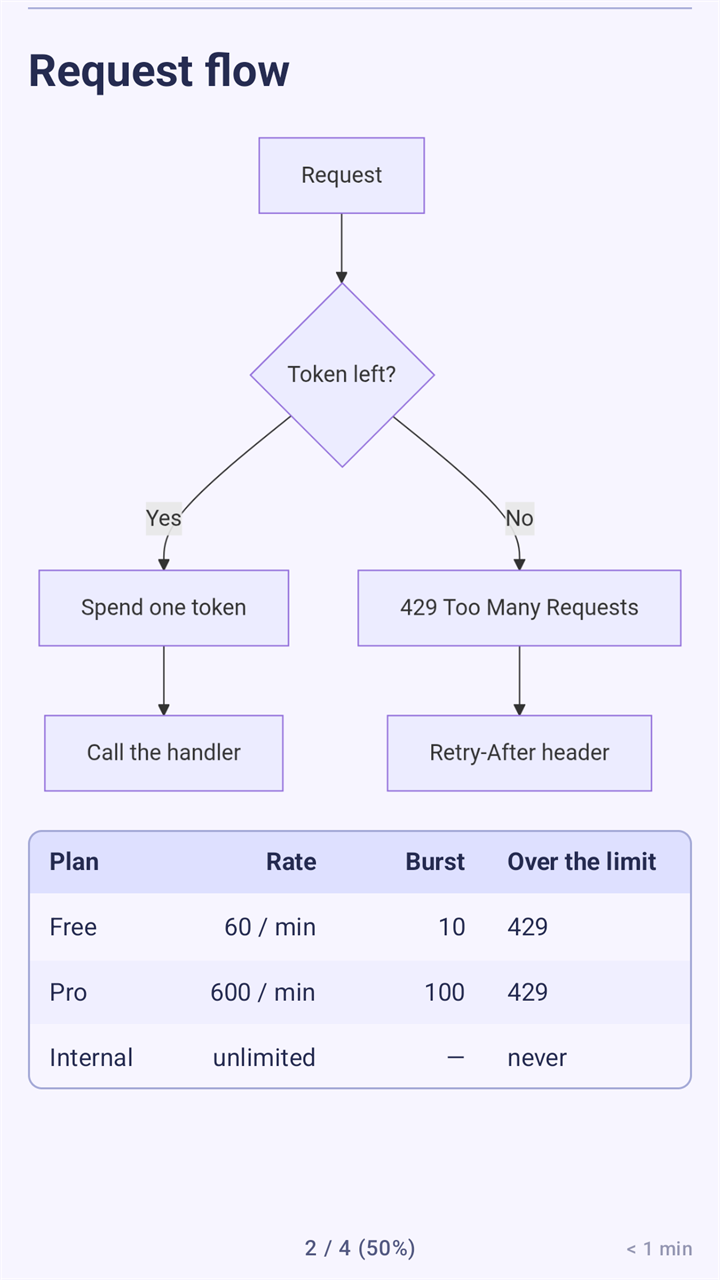
A Mermaid flowchart and a table 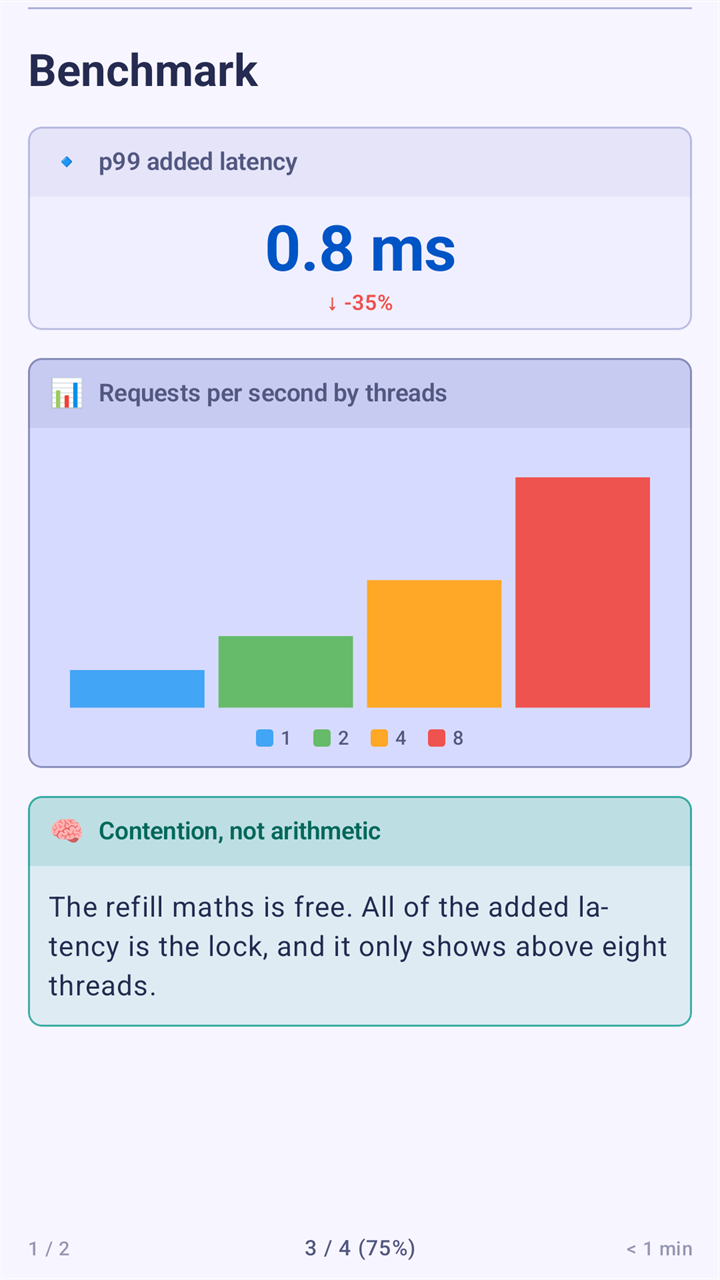
Metric, chart and insight blocks 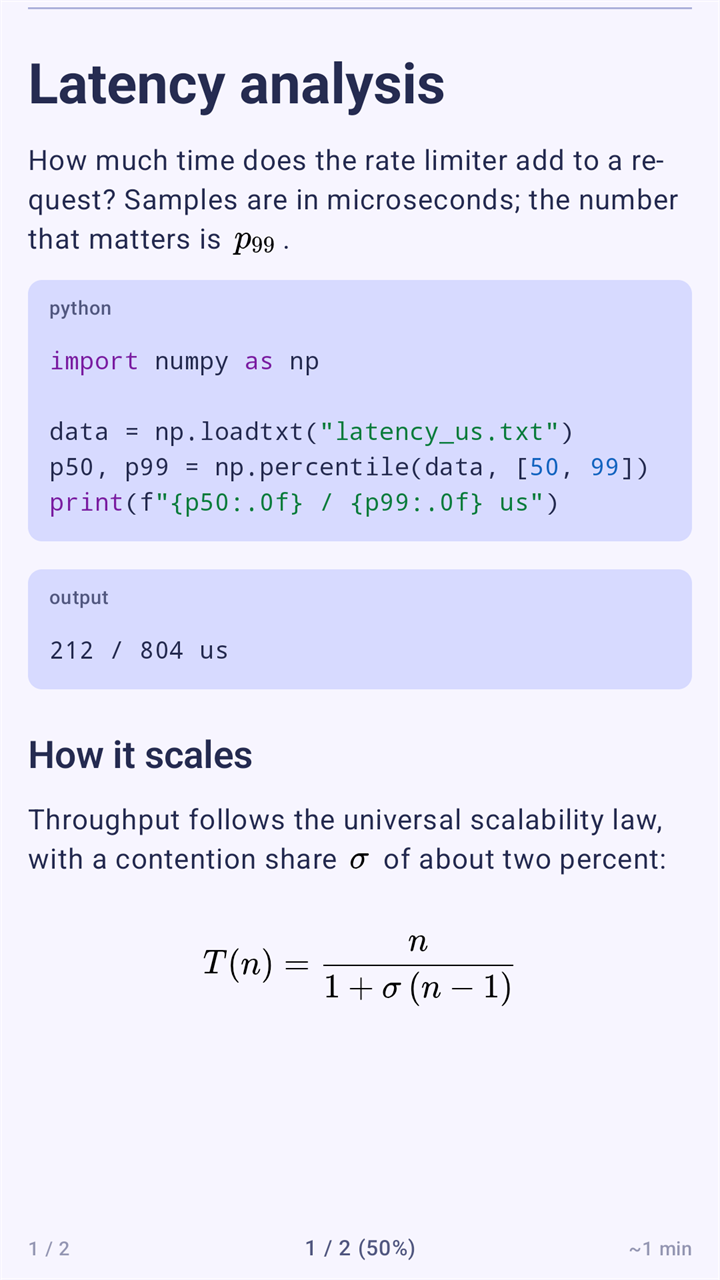
A Jupyter notebook: code, output and a formula 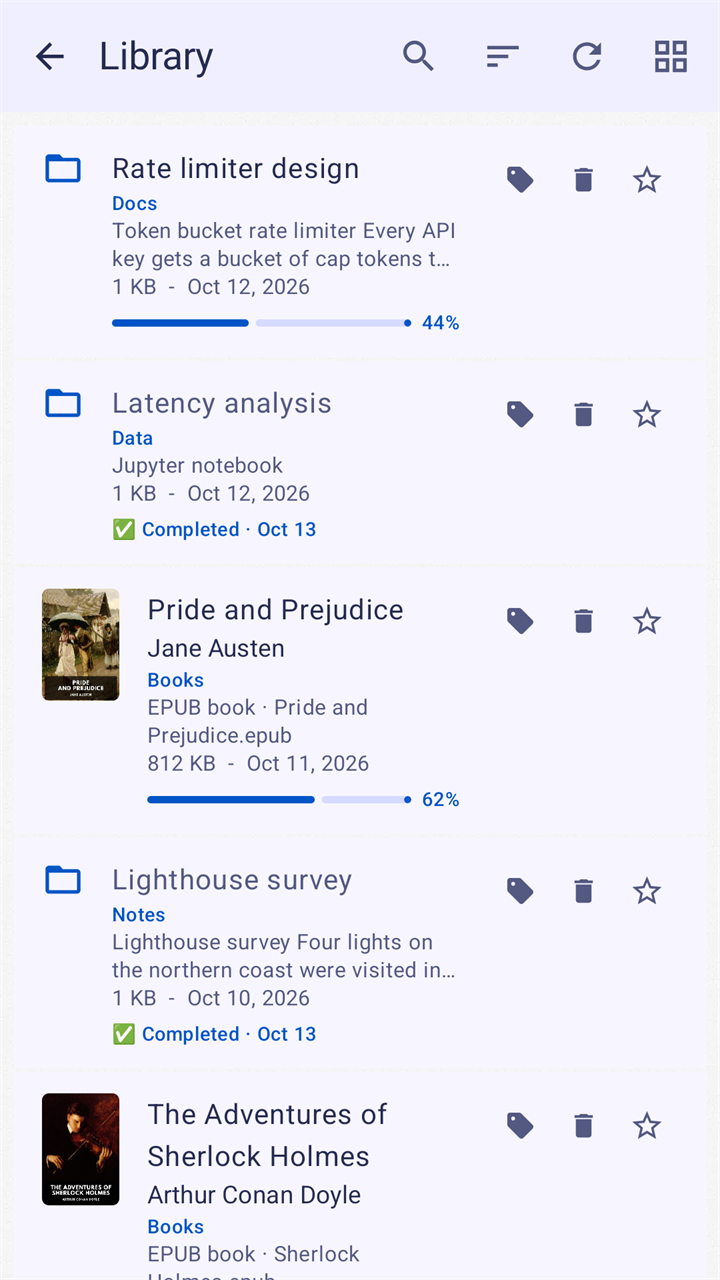
The Library: documents and books side by side 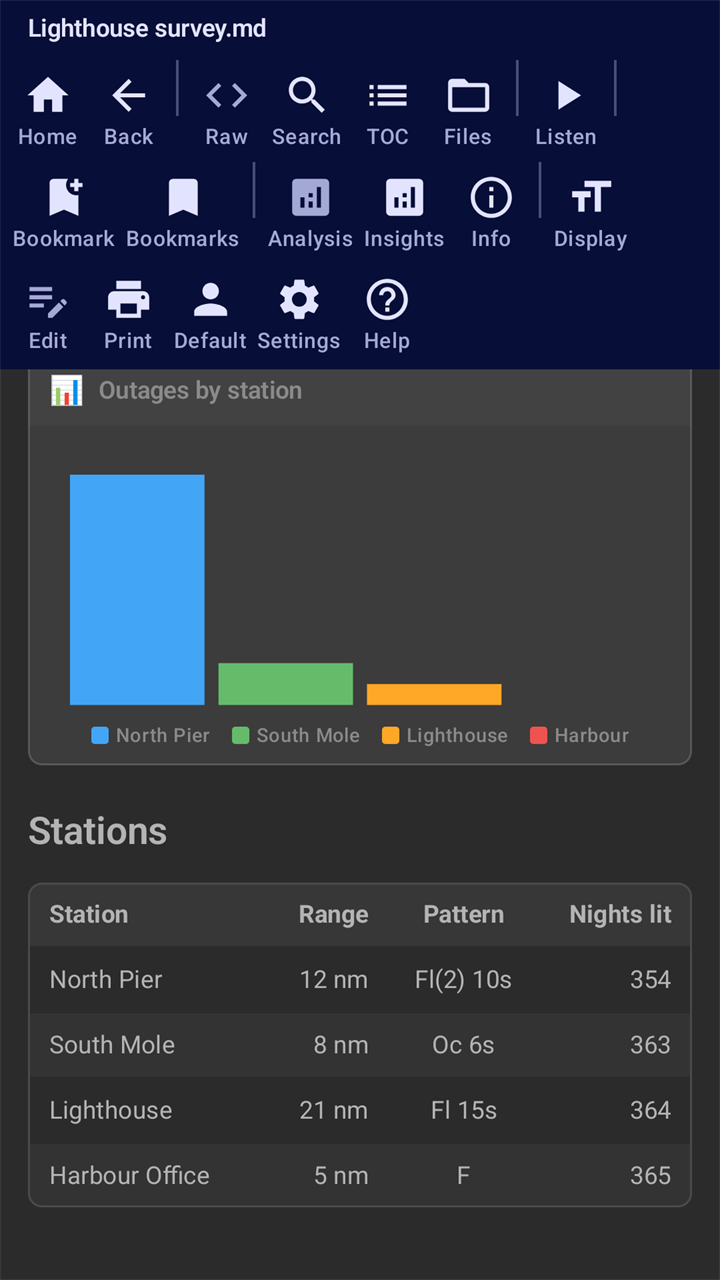
The toolbar, over a page in a dark theme 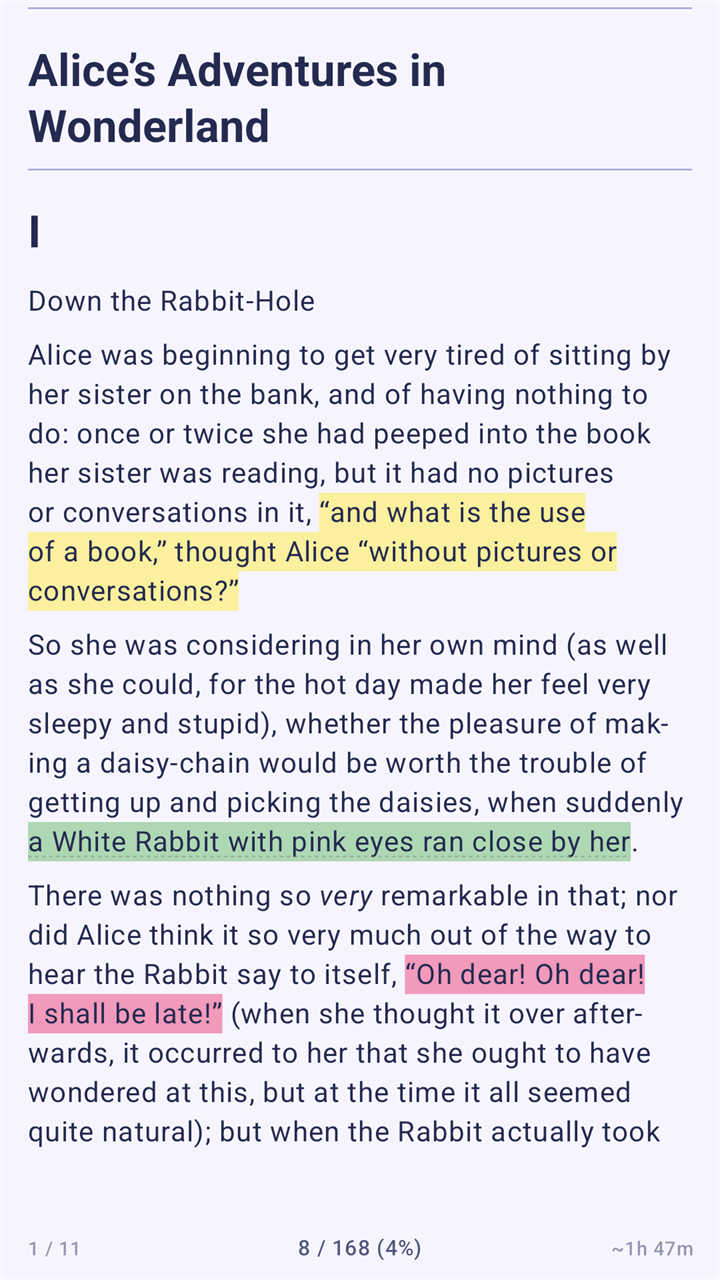
An e-book page with three highlights 
An e-book page with its illustration
Good to know
- Only Markdown can be edited; the other formats are read-only.
- Books locked by DRM cannot be opened. PDF, Kindle and office files are not supported.
- No account, no ads, no analytics. Your documents and reading data stay on your device.
- The app goes online only to load pictures that a document links to, and you can switch that off.
- The interface is in English and Czech.
- It runs on Android 13 and newer.
Questions and answers
Which files does mdReader open?
Markdown, plain text, source and configuration files, CSV and TSV tables, Jupyter notebooks, AsciiDoc, reStructuredText, Org-mode, Djot, web pages, and EPUB and FictionBook books. It does not open PDF files, Kindle books, office documents or books locked by DRM.
Does it run the code in a notebook?
No. A Jupyter notebook is shown as a document: its Markdown cells, its code and the outputs saved in it. Nothing is run, and scripts in an output are never executed.
Can I edit documents?
Yes, Markdown files can be edited in the app. The other formats are read-only. A file is changed only when you tap Save, tick a task or delete it.
Does it need an internet connection or an account?
No. mdReader works offline, with no account and no server of its own, and your documents and reading data stay on your device. Formulas and diagrams are drawn on the device. The only network use is loading remote pictures that a document links to, which you can turn off in Settings.
How does it keep my devices in step?
Turn on Carry reading data in the Library folder. Each device writes a small file into your Library folder, and a sync app or cloud folder that already carries the folder carries those files too. Your place, highlights and bookmarks then match on every device. The app itself sends nothing.
Why does it ask for notification permission?
Only for the media notification that controls reading aloud when it continues in the background. You can switch Background listening off in Settings.
Which languages does the interface have?
English and Czech. It follows the language of your phone, or you choose one in Settings.
What does it cost?
Nothing. mdReader is free. There is nothing to buy in the app, no subscription and no advertisements.
Coming to Google Play
mdReader is not listed on Google Play yet. This page will carry the link as soon as it is.
Questions or feedback: enlyzr@gmail.com